8. How to setup Puppy
8.1 How to change the background desktop-image
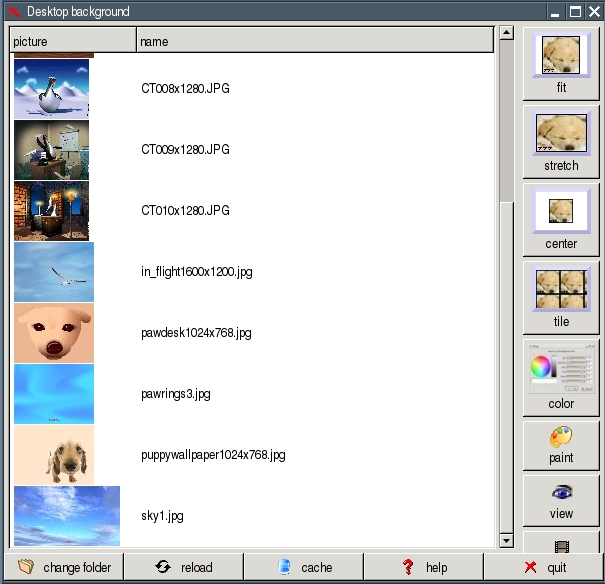
If you want to use another background picture, copy your picture into the directory /usr/share/backgrounds. Subsequently, you
start the program "Menu | Desktop | Puppybackground desktop image". On the left side are the available background
pictures. Select a picture and click on one of the four buttons fit / stretch / center / tile. The background desktop-image
is changed immediately.
8.2 How to create your own menu
Puppy uses JWM (Joes Windows manager) as windows manager. You can adapt JWM to your needs. If you want to change the
program-menu follow these commands:
-
Start the program "Menu | File managers | puppyROX file manager"
-
Change to the directory /root
-
Click on the symbol "Show all files"

-
Right-click on the file .jwmrc and select "Open As Text". The .jwmrc-file is opened with Geany text editor now.
-
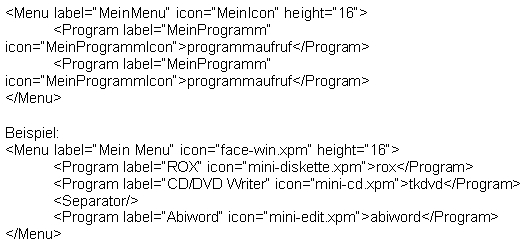
Edit the file. The file .jwmrc has the following structure:
-
Save the file and quit Geany.
-
Restart JWM: "Menu | Shut Down | JWM restart"
Hint: installing a new PetGet program rebuilds your programs menu
automatically. This will overwrite your personal settings, so if you
want to keep them, backup your /root/.jwmrc file beforehand and restore
the settings after the installation.
You can find further information about JWM on these Internet sites:
8.3 How to add a program icon at the tray zone
If you want to add a program icon at the tray zone enter these commands:
-
Start the program "Menu | File managers | puppyROX file manager"
-
Change to the directory /root
-
Click on the symbol "Show all files"
-
Right-click on the file .jwmrc-tray and select "Open As Text". The .jwmrc-tray file is opened with Geany text editor now.
-
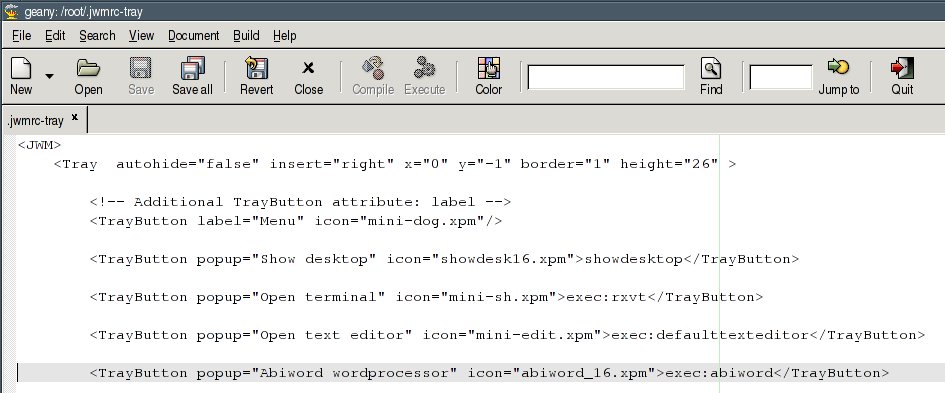
If you want to add e.g. abiword, add the following line:
-
Save the file and quit Geany.
-
Restart JWM: "Menu | Shut Down | JWM restart"
8.4 Setup time and date
To set date and time start the program "Menu | Desktop | Set date and time". If you want to change the clock from 12-hours to 24-hours-display enter these commands:
-
Start the program "Menu | File managers | puppyROX file manager"
-
Change to the directory /root
-
Click on the symbol "Show all files"

-
Right-click on the file .jwmrc-tray and select "Open As Text". The .jwmrc-tray file is opened with Geany text editor now.
-
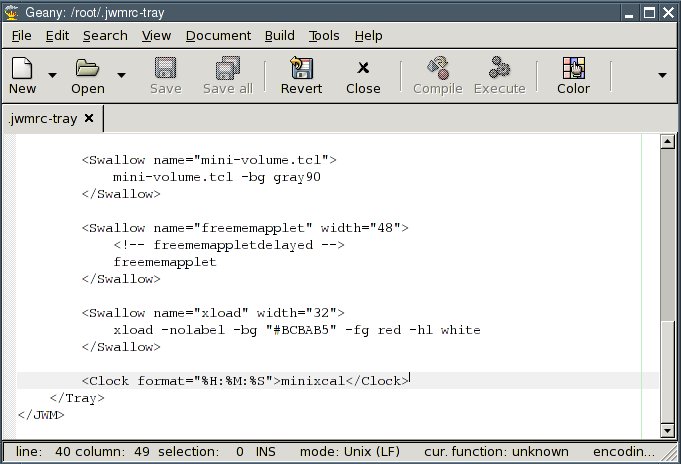
At the end of the file you see the "clock"-command. Edit this line as shown:
-
Save the file and quit Geany.
-
Restart JWM: "Menu | Shut Down | JWM restart"
8.5 How to store / remove a desktop icon
In order to store a desktop icon with a link to a program, directory or file, you can drag the file with the left mouse
button from the file manager ROX onto the desktop.
If you want to remove a desktop icon right-click on the icon and select "Remove Item".
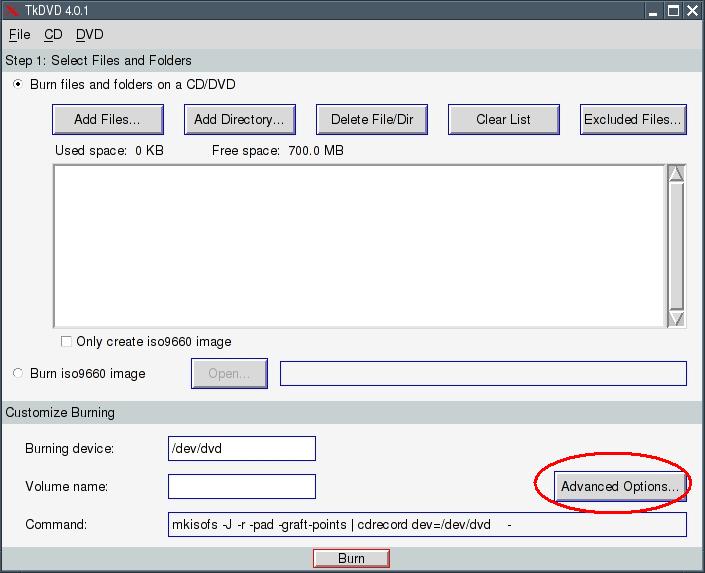
8.6 Setup DVD/CD-burning program TkDVD
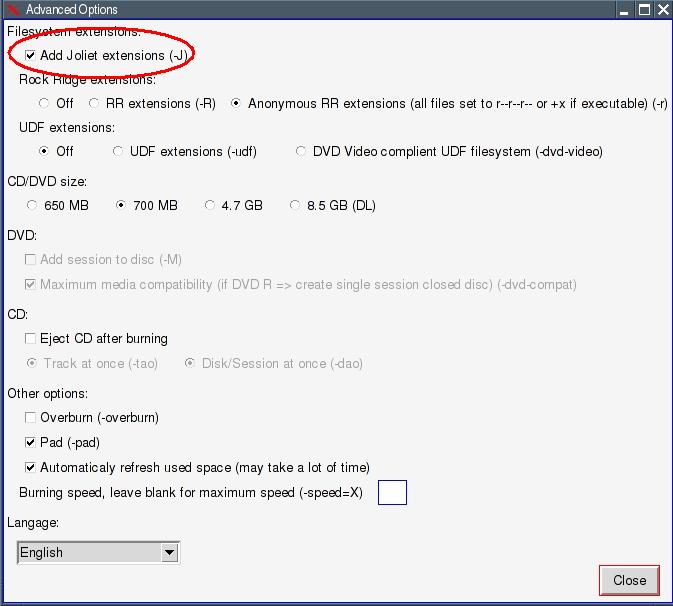
Click on the button "Advanced Options" and enter a check mark at the option "Filesystem extensions | Add Joliet extensions".
This enables you to use long filenames.
8.7 How to install fonts
You can install additional fonts e.g. to use in Abiword. Download
Download TrueTypeFonts (TTF) from the internet and save the files into /usr/X11R7/lib/X11/fonts/TTF:
-
Download from
http://thelinuxbox.org
files such as FunFonts and Microsoftfonts, for example. Another good Internet page is
http://wiki.scribus.net .
-
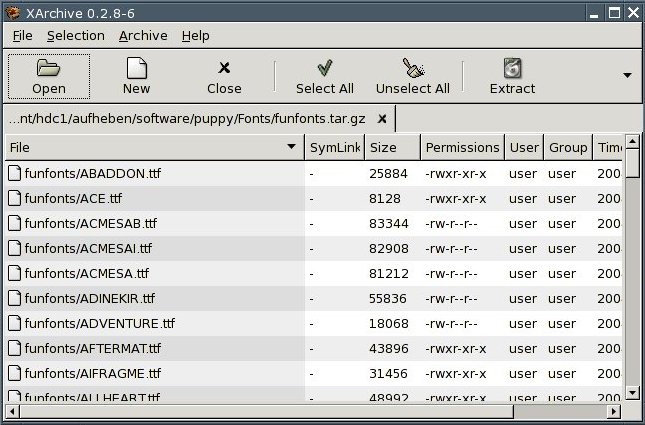
Left-click on the file. XArchive opens.
-
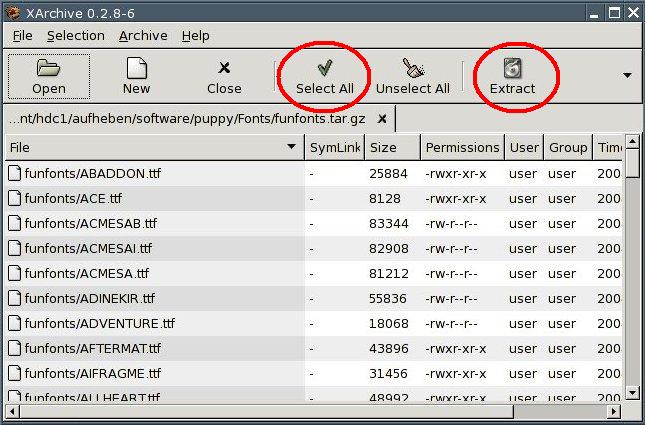
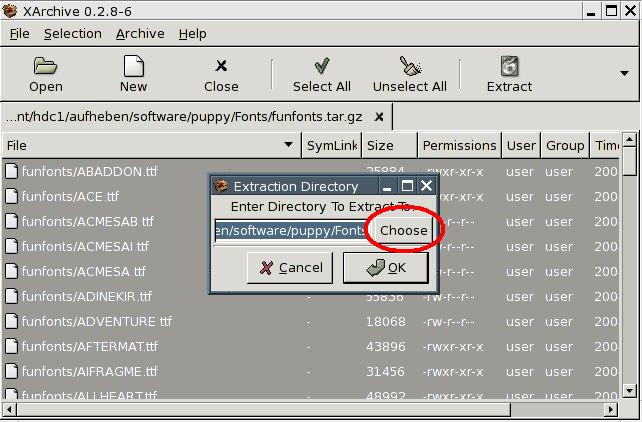
Click on the button "Select All" and then on the button "Extract". A new window appears.
-
Click on the button "Choose".
-
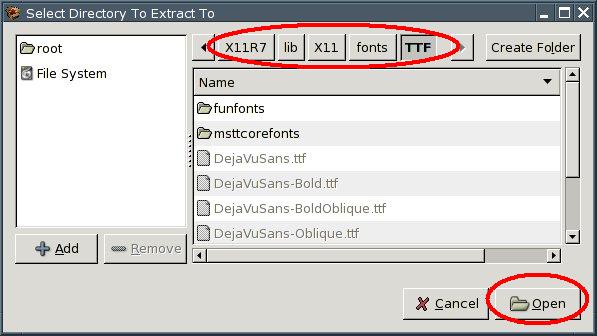
Go to the directory /usr/X11R7/lib/X11/fonts/TTF. Click on the button "Open".
-
Click on the button "OK".
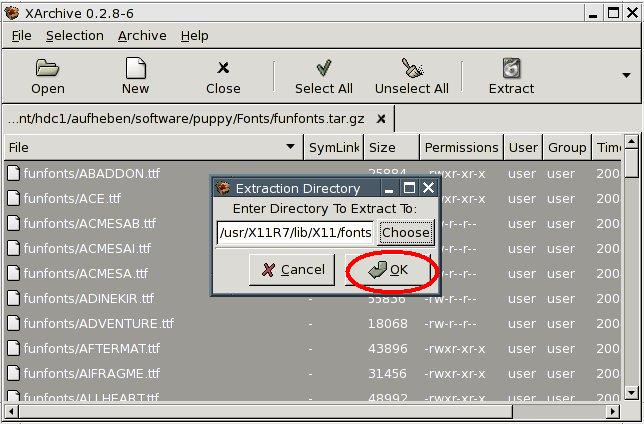
Now the file is unpacked and the fonts will be copied into the directory. Do the same with all of your TTF-files. If you start Abiword afterwards, the fonts are available.